
Trezor lost wallet backup or forgotten PIN: what the official pages say
Published: Official pages last read: Editorial policy
Trezor's own pages say a wallet backup, formerly called the recovery seed, is the way to restore a wallet, and that it should be entered only when the physical device instructs you to. A forgotten PIN means a factory reset and then recovery from the backup. If the backup is lost and the wallet is inaccessible, Trezor says it cannot help recover it.
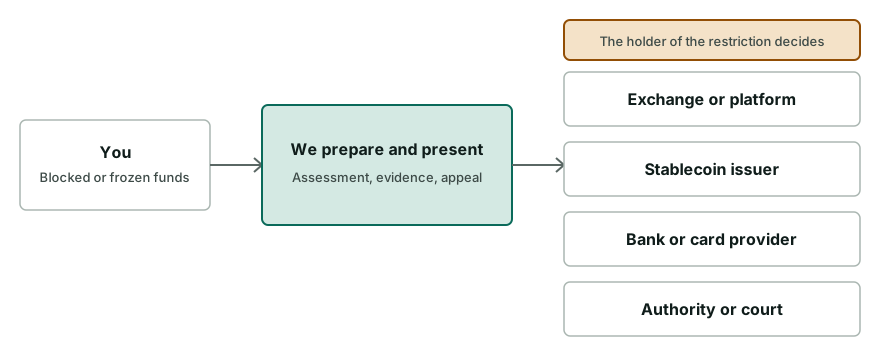
We are independent of Trezor and not affiliated with it. We cannot influence its decisions, and nothing on this page is an official statement of Trezor.
Questions about your case? Message us:
What the platform's own pages say
- Trezor's recovery guide says recovery means using a wallet backup, formerly called the recovery seed, to restore access to existing accounts, and warns not to enter the backup anywhere unless the physical device tells you to and you confirm on the device. [1]
- The guide says that if you are locked out because you forgot your PIN, you first need to factory reset the device and then recover the wallet from the backup, and that a reset in bootloader mode removes the firmware and all private information. [1]
- The guide tells users who find a never-used device with firmware already installed not to proceed, to unplug it and to contact Customer Support to arrange a replacement. [1]
- Trezor's troubleshooting page says the device shows the wallet backup only once, that a disconnect during the backup leaves an incomplete backup, and that you then need to erase the device and restart setup. [2]
- For a lost backup where the wallet is still accessible, the page says to move your funds to another wallet with a known backup as soon as possible. [2]
- The page says that if you lose the backup and cannot access your wallet, Trezor cannot help recover it, because it has no control over the backup and losing it means permanently losing access. [2]
- Trezor's PIN page says the PIN prevents anyone who physically obtains the device from using it, and that after 10 wrong attempts on the Safe 7 or 16 wrong attempts on the Safe 5, Safe 3, Model T and Model One the device resets and the wallet is erased. [3]
Typical restrictions
| Type of restriction | What it means |
|---|---|
| Forgotten PIN | Trezor's guide describes a factory reset followed by recovery from the wallet backup. The reset erases the private data on the device, so the backup is essential. |
| Incomplete or failed backup | The device shows the backup only once. If it disconnects during backup you cannot view it again, and Trezor says to erase the device and restart setup, which is easy only before funds are loaded. |
| Lost wallet backup | If the wallet is still accessible, Trezor says to move funds to a wallet with a known backup as soon as possible. If it is not, the page says Trezor cannot recover it. |
| Device that may have been used before | Trezor says that if a new device already has firmware installed, you should not proceed with setup, and should unplug it and contact customer support for a replacement. |
What you can do, step by step
- Check whether the wallet is still accessible
If you can open the wallet with the device and PIN, treat the situation as urgent for the backup, not for the funds. Do not wipe the device yet.
- Move funds if backup is lost but wallet opens
Trezor says to move funds to another wallet with a known backup as soon as possible. Create a new wallet with a fresh backup and send funds to it carefully.
- Find your wallet backup
Look for the written backup of your recovery seed that you stored offline. It is the way to restore the wallet if the device is lost, wiped or damaged.
- Reset and recover only on the device
If you forgot the PIN, Trezor says to factory reset and then recover from the backup. Enter the words only when the physical device prompts you and confirm on the device itself.
- Never type the backup into a website or message
Trezor warns against entering the backup anywhere unless the device tells you to. Ignore messages that ask for it, whoever they claim to be from.
- Contact Trezor support through its own site for hardware issues
For a suspect or faulty device, Trezor says to contact customer support. Use its official pages, and remember it states it cannot recover a lost backup.
What to prepare
- Your device model and when you set it up
- The written wallet backup, stored offline and entered only on the device
- The addresses and balances you can check on a block explorer
- Screenshots of any error message or setup prompt
- A note of where and how you stored the backup and the PIN
- A police report number if the device was stolen
Pitfalls and scams to avoid
- Never share your wallet backup, seed, private keys, PIN or passwords with anyone, including people who say they are Trezor support or a recovery service.
- Trezor says to enter the backup only when the physical device instructs you to. A website or chat that asks for it is a scam.
- Do not trust unsolicited offers to recover a lost backup. Trezor states that it has no control over your backup and cannot recover it.
- Do not use a device that arrives already set up. Trezor says to stop and contact support.
When outside help makes sense
- You lost the backup and the wallet is no longer accessible and want to understand any remaining options
- A damaged device needs a trustworthy specialist instead of an advertisement
- You entered your backup on a fake site and funds were taken, and you need the evidence organised
- You are dealing with the wallet of a person who died or is unable to act
Questions people ask
How do I recover a Trezor if I forgot my PIN?
Trezor's recovery guide says to factory reset the device and then recover your wallet from the wallet backup. A reset in bootloader mode removes the firmware and all private information, so you need the backup before you start.
Can Trezor recover my lost wallet backup?
No. Trezor's troubleshooting page says that if you lose your backup and cannot access your wallet, it cannot help recover it, because it has no control over the backup and losing it means permanently losing access.
What if my wallet backup is lost but my wallet still opens?
Trezor says to move your funds to another wallet with a known wallet backup as soon as possible. Do not wipe the device first, and follow Trezor's own instructions for creating a new wallet and moving funds.
What happens after wrong PIN attempts?
Trezor's PIN page says the Safe 7 resets after 10 incorrect attempts and the Safe 5, Safe 3, Model T and Model One reset after 16, erasing the wallet. After that you need the backup to restore access.
Is it safe to enter my backup on a website to recover my wallet?
No. Trezor says not to enter the wallet backup anywhere unless the physical device instructs you to, and to confirm on the device itself. Sites and messages that ask for it are a common scam.
What if my new Trezor already has firmware on it?
Trezor's guide says to stop, not to proceed with setup, to unplug the device and to contact customer support to arrange a replacement. It treats a never-used device that looks used as a warning sign.
Is this page from Trezor?
No. We are independent of Trezor and not affiliated with it. We summarise Trezor's own pages, link to them and cannot influence any decision the company makes.
Related services
- Hardware wallet recovery help. Lost PIN, broken or lost hardware wallet: honest options and vetted independent labs.
- Wallet password and file recovery. Forgotten password or damaged wallet file: vetted independent specialists try recovery.
- Crypto inheritance and lost access help. Lawful access to a deceased or incapacitated person's crypto through lawyers and specialists.
Read next
Official pages read
Official or authoritative pages this page is based on. Pages change, so check the source for the current wording.
Information on this page is general and not legal advice.